Applications
Review creators who applied to your gigs.
Gigs (Test a Product, Campus Ambassadors and Monthly campaigns) aren't open to everyone. People apply, and you choose who joins. Campaign Hub › Applications collects every application across all your gigs in one place.
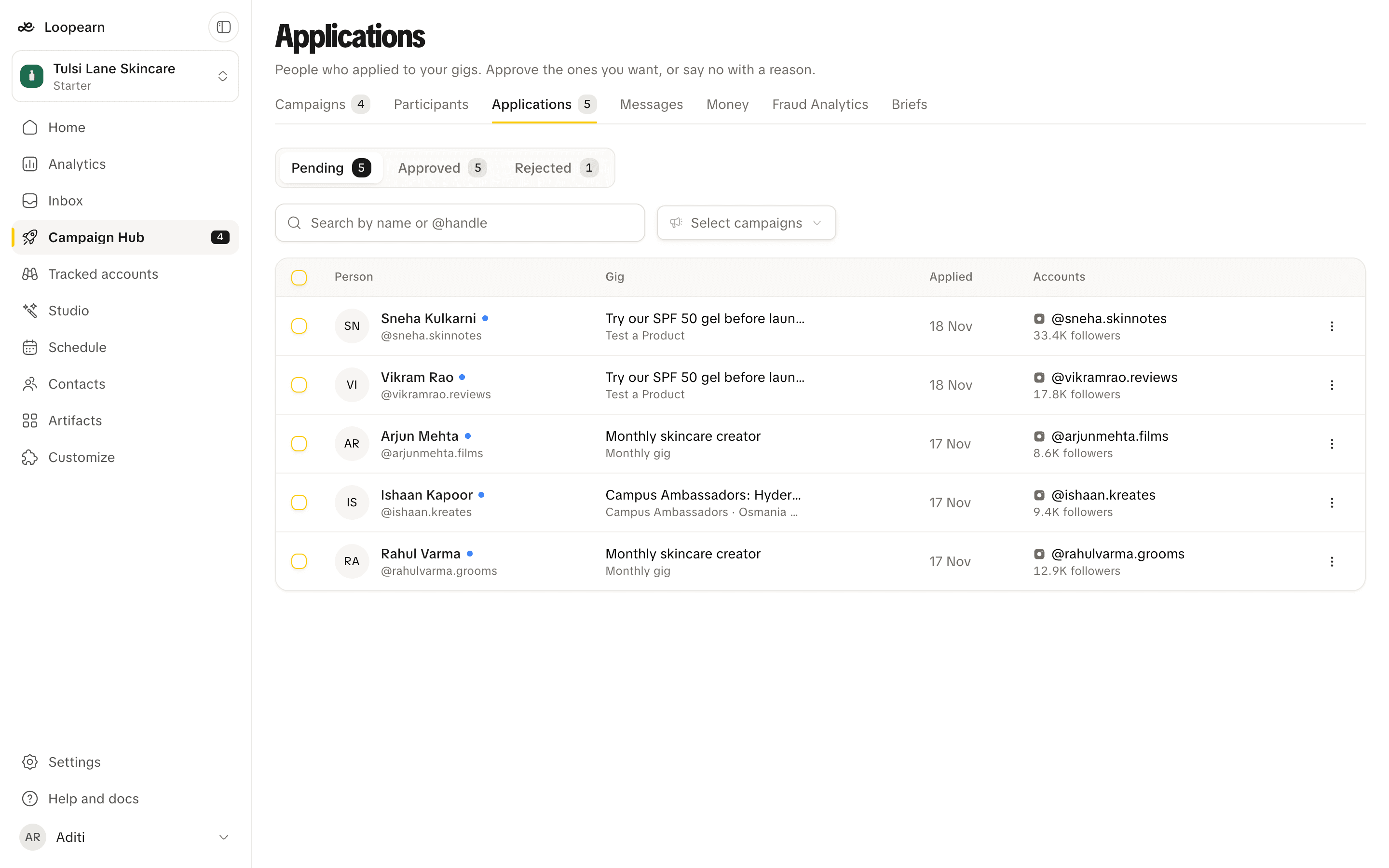
The list
The Pending tab shows applications waiting for your decision, and the number on the Applications tab counts them. Approved and Rejected keep the ones you've already decided, with the reason for each rejection.
Each row shows the person, the gig they applied to, when they applied, and their verified social accounts. Search by name or @handle, or filter to particular gigs.
Review an application
Click a row to open the application:
- Application: what they wrote, when they applied, and their college if the gig asks for one.
- Accounts: their verified social accounts and follower counts.
- Earlier applications: anything else they've sent to your gigs, and how you decided each one.
Use the arrows at the top to move to the previous or next application without closing it.
Approve
Click Approve. They join the gig and get a notification.
To approve several people at once, tick them in the list and click Approve in the bar that appears. If one can't be approved, for example because the gig is full, the others still go through and you're told which one failed.
Reject
Click Reject. Everything in the dialog is optional, and the person sees all of it:
- Reason: needs more detail, doesn't meet the requirements, not the right fit, or other.
- Note: anything that would help them next time.
- Can apply again: now, in 30 days, or never. This applies to this gig only.
You can reject several applications at once in the same way.
Changed your mind? A rejected application can still be approved from the Rejected tab.
Turn away applications automatically
On a live gig's page, set Turn away applications that… to describe who you don't want, for example "have no Instagram account". Loopearn checks each new application against it. Applications that clearly match are rejected for you as "Not the right fit", and those people can apply again in 30 days.
It only ever turns people away and never approves anyone. Applications that were already waiting when you set it aren't checked, and if you decide one yourself first, your decision stands. Clear the text to switch it off.
Banned people
If you've banned someone (see Participants), they can't apply to your gigs, and any application they had waiting is turned down. To approve them, unban them first.
Need help? Email support@loopearn.com